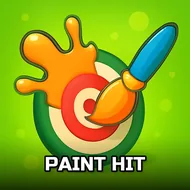
Paint Hit
Instructions:
MouseDescription
Paint Hit Review
There's something weirdly satisfying about watching a plain gray tower slowly turn into a rainbow mess, one splat at a time. Paint Hit takes that simple idea and builds a whole little browser game around it: you're firing color-filled balls at a rotating tower, and the goal is coverage, not precision shooting in the traditional sense. It's part shooter, part coloring toy, and the physics of each splash feel just chunky enough to be fun without getting complicated. No timers screaming at you, no complicated menus to dig through. Just aim, fire, and watch the drips run.
Controller & Keyboard Guide
- Everything runs off the mouse, so there's nothing to memorize before you start playing.
- Click to shoot a paint ball at the tower, and the game handles the trajectory from there.
- Move the mouse to adjust your aim as the tower spins, since it never sits still for long.
- There's no keyboard input needed, which makes it an easy pick-up for younger players or anyone jumping in for a quick round on a break.
Pro-Level Advice
- Watch the rotation speed before firing. Tower movement isn't constant, so timing your click a beat early sometimes lands better than reacting on instinct.
- Don't just spam the same spot. Spreading color across different faces of the tower gets you closer to full coverage faster than stacking hits in one lucky zone.
- Pay attention to color contrast. Some shades blend into what's already painted, making it hard to tell what's covered and what isn't, so mix it up as you go.
- Stay loose with your aim early on. Chasing perfect accuracy from the first shot usually backfires; it's more about steady rhythm than pixel-perfect clicks.
- If a level feels stuck, step back mentally and look at the tower as a whole shape instead of individual panels. It's easier to spot the gaps that way.